
The Headless UI
A long horizon vision for Google by Richard Getz
Whether online or working on your computer, UIs today are often complex, growing layers of menus and constantly changing. For us humans it creates constant fatigue.
For AIs however, it is worse, especially with SaaS platform where the complexity of the UI and endless menu options have to be processed with each action. Time and tokens are wasted and accuracy diminishes with brittle automation that breaks with a simple button update.
The Headless UI attempts to address these issues by moving beyond our current application-centric model, with its distinct windows and silos of information and into a component based UI on both desktop and web.
It's about making the concept of distinct "apps" invisible to the user in favor of a truly task-oriented and context-aware computing environment, where the user's intent is the primary driver of the interface.
We achieve this by serving up components rather than complete web pages or apps.
1. The Core Problem: AI Navigates a World Built for Humans (sometimes)
Current AI agents, including advanced models like Gemini, interact with websites and operating systems in a fundamentally inefficient way. They are forced to "see" and parse user interfaces designed for human eyes, or scrape complex DOM structures. This process is:
- Brittle: A minor UI redesign can break the AI's automation.
- Slow: It relies on visual analysis or hunting through code, which is computationally expensive.
- Inaccurate: It's prone to misinterpreting elements, leading to errors.
This is the equivalent of an expert trying to work by looking over someone's shoulder and telling them where to click, rather than having direct access to the tools.
2. The Solution: A Component-Driven Framework
The proposed solution is a paradigm shift in how UIs are architected. Instead of serving monolithic pages, applications and operating systems would serve their UIs as discrete, addressable components.
An AI would no longer need to see a screen with 10s of elements. It would make a direct, semantic request to another AI residing on the application or OS.
- Human to their AI: "Show me the deployment errors on my website."
- Requesting AI (Gemini) to Application AI (Netlify):
GET component: 'deployment.errors' - Application AI: Returns just the deployment errors component, complete with rich metadata including branching showing possible directions from this point.
This interaction is built on two pillars:
- A Component Sitemap: Every application or OS would maintain a structured, machine-readable list of its available UI components (e.g.,
user.profile.edit,billing.invoice.history,S3.CreateBucket). - Rich, Standardized Metadata: Each component is delivered with a standardized JSON payload that describes not just what the elements are, but what they do.
Example Metadata for a "Magnification" Toggle:{
"element_id": "dock.magnification.toggle",
"element_type": "checkbox",
"label": "Magnification",
"purpose": "Enlarges dock icons on hover for better visibility.",
"state": "checked",
"related_controls": ["dock.magnification.slider"]
}This creates a trust layer. Because the component is also the user-facing UI, the metadata served to the AI must be honest, making it significantly harder to manipulate for SEO compared to invisible schema.org tags.
3. An Adoption Flywheel
The strategy begins with the Chrome OS. By componentizing native apps and settings, Google can prove the concept in a controlled environment, delivering a faster, simpler experience to millions and learning key lessons.
The interactions with this component based system is via Gemini text or preferably voice. Instead of opening the entire settings Gemini presents just the setting you want to change.
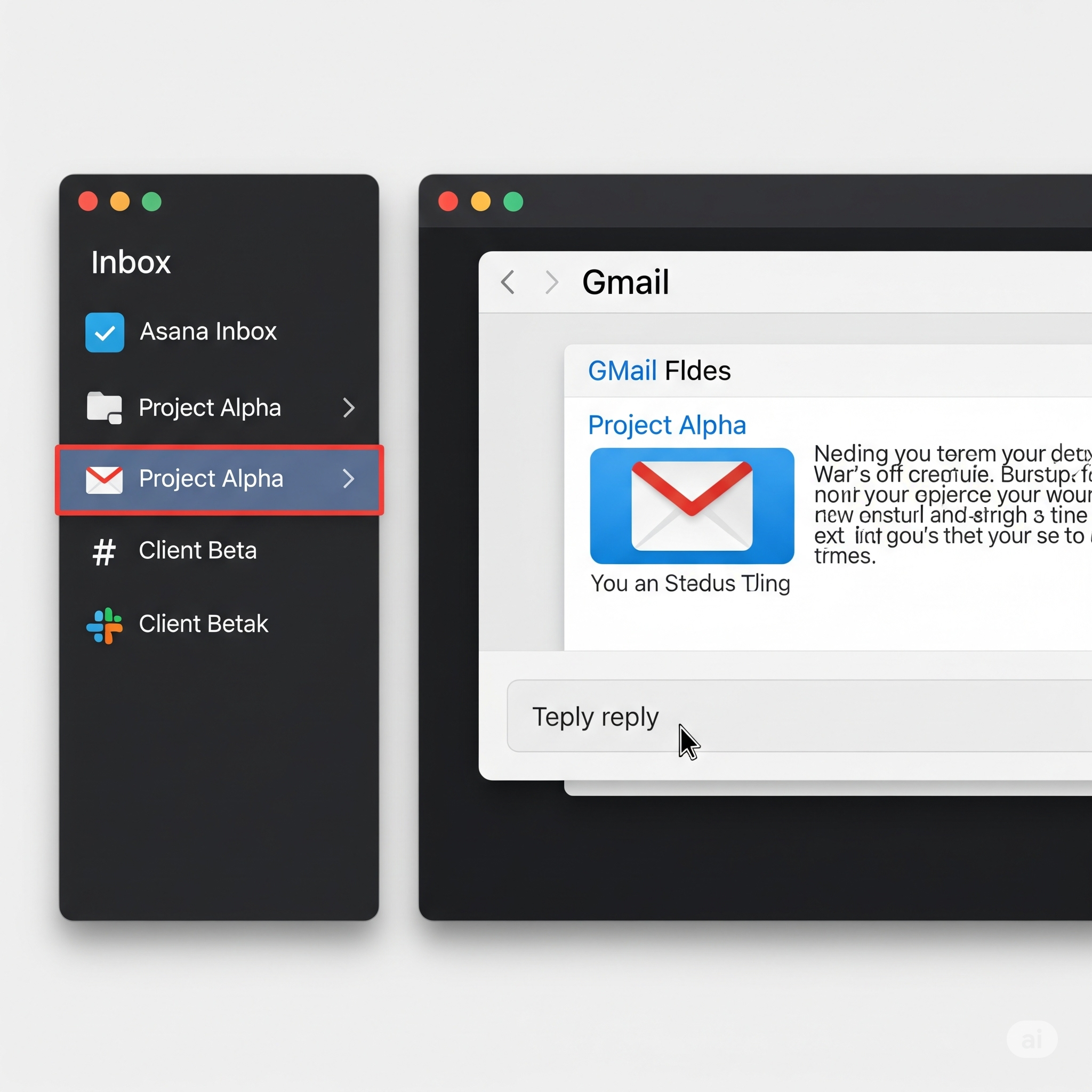
But this goes much further. Imagine a panel Gemini creates for notifications which has components from Gmail, Slack, Asana, Meet, Discord all in one panel, not different apps you have to shuffle. Just their inboxes, all in one panel. Actioned from that one panel.
Or a workspace that has a panel for notifications and another panel for documents, pulling from local files, Google Docs, and Box. Then imagine when you click on a document or image or video to edit it, the edit component are based on the apps you have installed. If editing an image and you have Adobe, the edit panel uses the Adobe edit component. If a doc, the Google’s text edit component. No more loading different apps in their own window.
Let’s take that even further. What if you have multiple apps for image editing that allows you to do different types of edit? Adobe, Gemini, other apps. Just click on the App icon at the top and switch. The components are swapped out. No saving and opening another app. Do it all there, then, without clutter. Remove the complexity through design -Jony Ive
With apps component based, it makes it much easier for AI to traverse this environment as it has no clutter from unneeded components. Gemini can request components, take action, request other components, and take additional actions. Speed, accuracy, confidence. You can speak to Gemini to get any number of work done without touching the keyboard.
Imagine game apps where the game play and environment is componentized and some being mutable so the game can take on a new life by asking Gemini to make changes.
Phase 1: The Operating System Pilot
- The Target: Start with a controlled environment: the Android OS and Chrome OS.
- The Project: Refactor the native Android Settings app to be fully component-driven. This is the perfect pilot because it's notoriously complex, and simplifying it with an AI controller is an immediate, obvious win for every user.
- The Goal: Google can use this project to de-risk the concept, learn critical lessons about performance and API design, and perfect the user experience in a controlled environment.
- The Benefit:
- Resource Efficiency: A component-based OS is lighter and faster. By only loading the specific UI components requested, the system avoids rendering the entire, complex UI. This means vastly fewer elements are competing for memory, CPU, and GPU resources at any given time, leading to a more responsive experience on less powerful hardware.
- Democratizing the User Experience: This model removes traditional navigation barriers that frustrate users of all ages. Younger users who find GUIs clunky and slow can simply state their intent. Older users who struggle with relearning layouts after every update no longer need to hunt for settings. A user can semantically request a file, a game, or a specific setting, and the AI serves the exact component needed. This also allows for unprecedented personalization; a user could ask to have the weather component always showing on their screen, and the AI could facilitate a placement and design that the original OS developer never envisioned.
- Centralized Permission Manager: Instead of disruptive pop-ups, when an application wants to access your camera or microphone, the request appears in a single, secure "Permissions" component within the OS dashboard (notifications panel if you have one already open). This component would clearly explain why the app needs the permission, allowing the user to tell Gemini how to action it, giving them complete and "softer" control over their privacy.
Phase 2: Driving Web Adoption
- Create Demand: Users who experience the simplicity of an on-demand, component-driven UI on their phone and laptop will begin to expect and demand it from the web.
- Framework & Migration Tools: Google would spearhead development of the open-source framework and provide it directly to major web-building vendors (e.g., WordPress, Netlify, Divi). To accelerate adoption, the framework would include powerful, AI-driven migration tools, allowing developers to easily convert existing websites and e-commerce themes to the new component-based standard.
- Initial Web Adoption (E-commerce & Local Sites): Leverage this new user demand by first targeting simpler, high-volume websites. A chatbot on a local pizzeria's site that can instantly pull up the
menuororderingcomponent provides immediate, tangible value to both the business and the customer. The AI assistant can more easily understand user needs as it doesn't have to parse a complex UI to figure out where the user is in their journey. This proves the model on a massive scale. - Scaling to SaaS: With the framework proven and widely adopted on simpler sites, the next step is to target the most complex SaaS platforms (Jira, AWS, Salesforce, etc.). The pain of navigating enterprise software is acute, and a developer telling their AI, "Create a new S3 bucket in us-east-1 with public read access and versioning enabled," and having the AI orchestrate the task via components is a massive productivity gain. This solves a real, expensive problem for the highest-value customers.
4. The "Faceless Web" and the Agile Workspace
The endgame of this framework is not just to improve existing interfaces, but to dissolve them entirely, leading to a new computing paradigm.
The End of Windows
The traditional web browser, with its tabs, bookmarks, and profiles, becomes an unnecessary layer of abstraction. The OS itself becomes the browser, and the AI becomes the navigator. When a user asks Gemini to find a window cleaner, the search results aren't a list of links on a page; they are presented as interactive components within the OS. If the user wants more information, the AI fetches relevant components from any necessary source—the company's website, previously noted ads, social media posts, or the user's web history and emails—creating a "heads-up display for the web" without ever launching a browser window.
The Agile Workspace within Chrome OS
This is about making the concept of distinct "apps" invisible to the user in favor of a truly task-oriented and context-aware computing environment. This component-based model breaks down the silos between applications, enabling distinct, focused workspaces managed by the AI. Instead of juggling windows and profiles, the user interacts with a unified, contextual environment, and the redundant "chrome" of individual applications is removed.
The Personal Workspace
In this context, the AI is focused on managing the user's personal life. This allows for powerful new capabilities:
- Project-Based Organization: For a home improvement project, a user can ask Gemini to create a unique workspace. This single desktop view could bring in a unified communications component (from a specific Gmail folder, a Facebook group, and Messenger), alongside research components from Gemini Deep Search, local documents, and Google Docs. The AI logically organizes everything by type, creating a unique dashboard that doesn't require multiple windows to get one thing done.
- Live, Sharable Components: For an upcoming trip, Gemini could assemble a Live Itinerary Component with flight status, hotel check-in, maps, and weather sub-components. The user could then share this entire component—with all its context, files, and searches—directly to their Google Pixel phone or with other users in the Google ecosystem, creating powerful network effects. Similarly, a Unified Health Dashboard component could be created and shared as a live, interactive "Space" with a doctor or caregiver.
- Seamless Task Switching: This greatly reduces cognitive load. A user can say, "Gemini, I need a break, let's play a game," and the AI understands the intent. It can save the current workspace, free up system resources by putting project components to sleep, and launch the requested game. During this break, the AI can keep essential notification components active, ensuring the user doesn't miss anything they've defined as important enough to interrupt their game.
The Work Workspace
When a user switches to their "Work" desktop, the AI's context shifts entirely, sandboxing it from all personal data. The AI is now strictly focused on professional productivity.
- Deep Application Integration: This solves a major source of cognitive load: context switching. Instead of one monolithic Slack application, the OS would treat each Slack workspace as a distinct component. The "Client A" desktop would be a collection of all components relevant to that client: their specific Slack workspace component, their Gmail folder component, their Asana project component, and their relevant cloud files. The OS itself provides a unified notification panel that holds alerts from Slack, Email, and Asana for the active client, removing the need for heavy window switching.
- Time-Based Focus Mode: The entire work component can be time-based. A user can set the "Client B" workspace to only be active and surface notifications from Monday to Friday, 8 am to 1 pm. Outside of those hours, the workspace is automatically put to sleep, freeing resources and protecting the user's personal time.
- In-Meeting Assistance: During a Google Meet call, an AI Meeting Assistant Component could appear alongside other communication components. It could show the agenda, provide a real-time transcript, and allow a user to say, "Gemini, create a task for Richard to send out the report by Friday," which would automatically create an action item in the relevant Asana component.
The Autonomous AI Developer
This "Agile Workspace" is the perfect environment for the autonomous AI developer. It enables the "vibe coding" methodology where a human director sets a high-level goal for a sprint, and the AI developer executes it by requesting and assembling components from any required service (e.g., Google, GitHub, Netlify).
This is critically important for sprint-based development. Because the component framework is standardized by Google and understood by the AI, it can build and modify sites with far greater speed and accuracy. The AI is no longer writing code from scratch; it's working at a higher level of abstraction, pulling in well-defined components and only needing to tweak the code for the specific intended use. This makes development sprints quicker, more accurate, and more focused on achieving the goal rather than on granular implementation details. Read more about my AI Agile Coding Framework: https://getzai.com/solutions/the-ai-agile-coding-framework
5. Solving the Ad Revenue Problem
This new paradigm presents an existential threat to the current ad model. If an AI can get information or complete a purchase without loading a full page, publisher revenue disappears. The standard must therefore include a protocol for a new business model.
No worries! Ads, upsells, cross sells, and bundles can still be in the experience, but made better for everyone. We all know human consumption of websites will go as did the phonebook. AI will be the main agent interacting with sites.
- Ads as an Asset: Ads are no longer interruptions for humans but become a valuable, curated data source for the AI. When a user's AI sees an ad for a service (e.g., window cleaning), it doesn't ignore it but rather it acknowledges it.
- Proactive Assistance: The AI can synthesize information to act as a true assistant. For example, the AI might note that their human's windows haven't been washed this year. Upon seeing a relevant ad, it can take the initiative: "We haven't washed the windows this spring, and I see an ad for Acme Window Cleaning with a 20% off coupon. I've researched them and they are reputable. Do you want me to book this using the coupon?" Or it could log the coupon for future needs. All depending on what the human needs.
- Renewable Value: To create renewable value, these logged "ad leads" could expire after a set time (e.g., 30 days), prompting the AI to seek new ones.
6. Ultimate Goal
The ultimate goal is the "Agile Workspace" where the browser and app chrome dissolve away. A single "Client A" desktop can pull in components from Slack, Gmail, and Asana into one unified view. The AI manages the context, so you don't have to.
This vision creates a more human-centric computing model that adapts to everyone—from young users who value speed to older users who value consistence, by focusing on intent, not navigation.